PDF catalogues
PDF Catalogue For Beauty Distributors Using Sage
Start with consistent codes, names, photos and categories. For beauty and cosmetics, distinguish size, fragrance, colour and kit composition in the name or description.
Start with a small product selection, check how it appears to the buyer and review a sample order before expanding. A clear catalog is useful when it matches the way your team actually sells.
Prepare the data the buyer actually needs
For beauty and cosmetics, distinguish size, fragrance, colour and kit composition in the name or description. Use a photo of the exact presentation and check that similar packaging does not make two variants look identical.
- Use a stable product code, a clear name, a selling unit, an appropriate photo and the intended price. Keep internal costs and confidential notes out of the public selection.
A catalog your sales team can keep current
Start with consistent codes, names, photos and categories. Select the products and price table for the audience, choose the layout and generate the PDF. Keep a clear edition name so the team can identify the current file.
What to review before sharing
Check a low-price and a high-price product, long names, category order and a product with multiple photos. Open the PDF on a phone as well as a computer. The best layout is the one your buyer can read comfortably.
Check your ERP edition and data scope
Sage is a product family. Supply the exact product name, version and country before assessing data access. Check whether the available export covers product, unit, price and stock for the same commercial scope.
- Before choosing a data route, confirm with the operation which fields, permissions, edition and update direction can support this selection.
What this workflow does not guarantee
The file preserves the data used to generate it. After changing the catalog, generate a new PDF and replace old links or attachments in your sales routine. An online catalog is useful when prices and availability change frequently.
Review the result as a buyer
Compare product names, codes, units and prices with the original data. Test one long product name, one product with no image and different quantities. Ask a colleague to find an item without your guidance. Use what was confusing to improve categories and descriptions.
Decide whether the workflow fits
A useful pilot shows whether the buyer can understand the range and whether your team can review the order. Keep your existing sales process during evaluation. Confirm product and user limits, price tables and integration work before selecting a plan.
Help buyers choose without another message
In beauty and cosmetics, buyers need range, fragrance, volume and kit composition in view before they choose a quantity. When those details are split between an old PDF, spreadsheet and chat, choosing takes longer and the sales team has to explain the basics again. An organised selection brings the distinctions together and makes the next step easier to see. In a catalog or PDF, the range becomes a complete presentation instead of depending on photos sent one at a time.
- Show range, fragrance, volume and kit composition where buyers compare the items.
- Use the sales presentation to highlight what helps customers choose the range.
Build a selection customers can compare
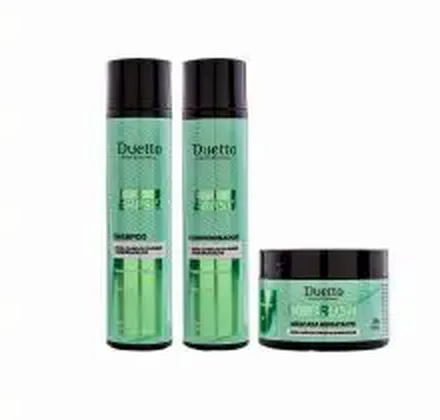
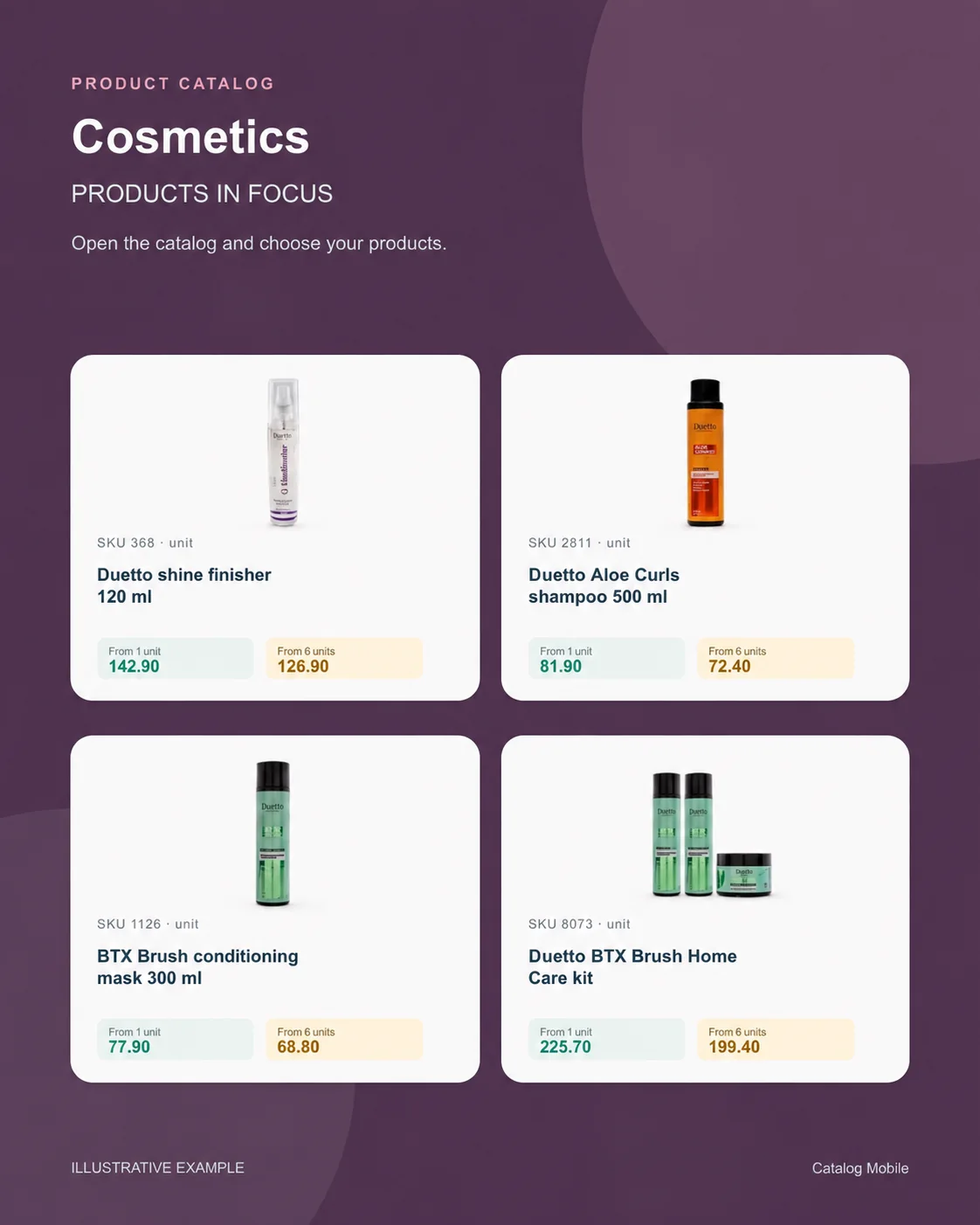
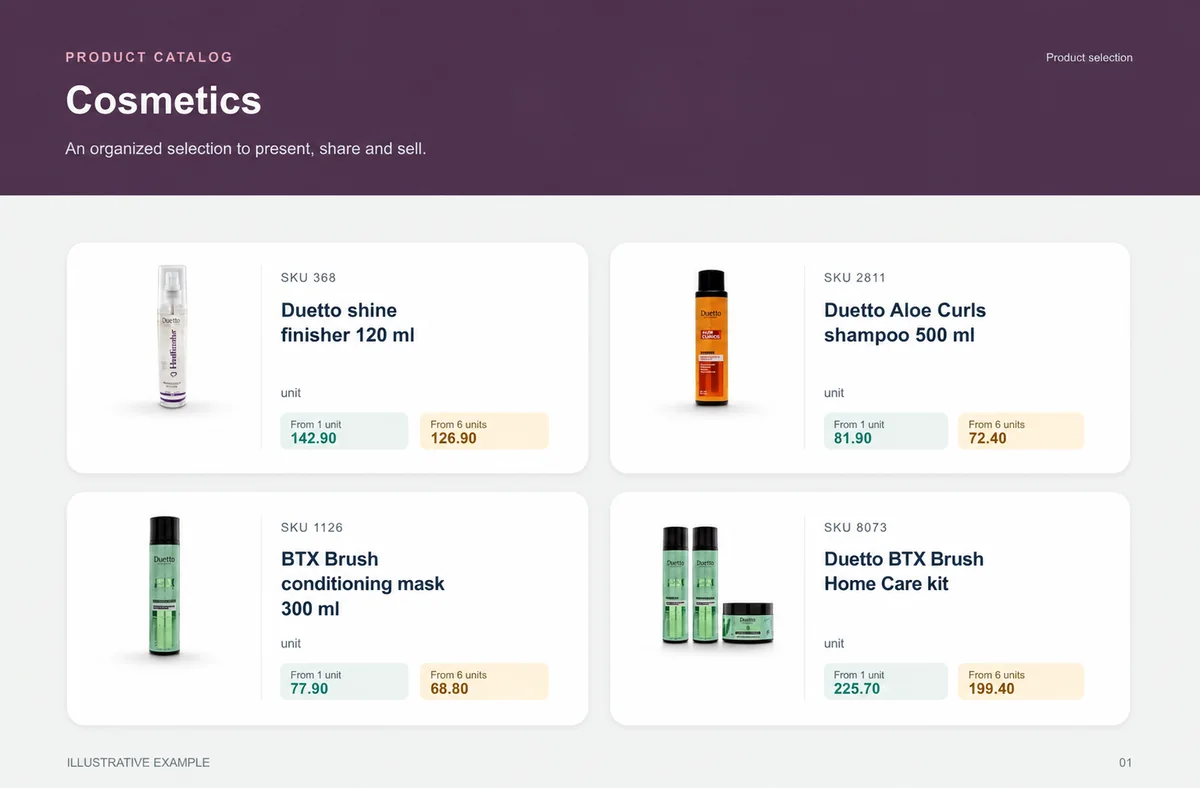
Present shine finishing product, aloe shampoo, hair mask and home-care kit in a short selection where SKU, photo, presentation and price sit together. Name the edition by campaign or date so seller and buyer recognise the file they received. Demonstration values make the commercial reading easier to understand; they are not a public offer. Short and long names, different units and similar packs can appear in the same edition. The person reading the PDF can find SKU, presentation and price throughout it. A first selection focused on one range helps the team improve what buyers actually consult.
- Include one long name and one alternative presentation in the first selection.
- Show photo, SKU, unit and price in the same buying context.
Bring ERP product data into the sales presentation
Keep managing products in Sage, and use the catalog to turn the range into a presentation buyers can browse. Sage is a product family. Supply the exact product name, version and country before assessing data access. Check whether the available export covers product, unit, price and stock for the same commercial scope. The data route depends on the edition, account, available fields and permissions. Before sharing, confirm which products, units and prices reach the selection. Once a buyer chooses, final price, availability, credit, delivery, tax and invoicing remain in the commercial flow your operation defines.
- Choose the fields buyers need to compare the range.
- Keep credit, availability, delivery, payment, tax and invoicing in the operation’s commercial flow.
Start with one range, then expand with confidence
The next range is ready to scale when buyers can find shine finishing product, aloe shampoo, hair mask and home-care kit, understand range, fragrance, volume and kit composition and move forward without a side explanation. Keep the edition name clear, replace the previous version and check readability on the device that will open the file. Repeat the Sage company, account or edition scope used to prepare this range. Start with the range that generates the most questions in customer conversations, then let buyer choices guide the next selection. The commercial owner looks after presentation and conversation; the data owner keeps the commercial record, including range, fragrance, volume and kit composition, aligned with the source date. Once the edition is clear, it can be shared as the campaign or range reference. Keep the same Sage scope in the process used to prepare the selection.
- Extend to the next range using what made the first choice easier.
Will it work for my business?
Do I need design experience?
You configure the layout and commercial information using the product’s PDF controls. Start with a short selection to check readability before exporting the complete range.
Can I print the PDF?
A downloaded PDF can be printed. Check the selected paper format, image resolution and legibility in a test print.
Does the online catalog replace the PDF?
You can use both. A PDF is useful as a fixed presentation; a browser link helps buyers browse the catalog and prepare an order.
How can I evaluate this without moving my whole operation?
Use a small, authorised selection of products. Compare the PDF or online catalog with your source data, test on a phone and review the resulting order. Expand only after correcting discrepancies.
How can we tell whether the selection is clear?
Open it on a phone, ask someone to find real products and record every question about SKU, unit, presentation or price before expanding.
Does the catalog replace commercial review?
No. It organises product presentation and can capture intent; the operation still validates the stages that depend on price, stock, credit, delivery and invoicing.