Skip to content
Catalog MobileTry now

Integrations

Keep operations in your ERP. Give sales a better catalog.

Some systems have a native connector. Others need an import or a scoped integration project. Check the route for your ERP before you commit.

From your ERP to your catalogDEMO
Oracle NetSuiteMicrosoft Dynamics 365 Business CentralOdoo
Catalog Mobile
Your product base03
ProductPrice
Apti fine oat flakes 150 g
Apti fine oat flakes 150 gSKU 120952 · 120 units
$12.50
KiSabor fine oat flakes 170 g
KiSabor fine oat flakes 170 gSKU 121258 · 108 units
$13.50
Parati salted crackers 370 g
Parati salted crackers 370 gSKU 10932 · 96 units
$11.90
Photos & codesCategoriesPrices
Online catalog03
Apti fine oat flakes 150 gApti fine oat flakes 150 g$12.50
KiSabor fine oat flakes 170 gKiSabor fine oat flakes 170 g$13.50
Items ready for review
6 × Apti fine oat flakes 150 g$65.40
Volume price applied

Put the product data you already maintain to work.

Example sales workflow. Available fields and updates vary by integration.

Do I need to replace my ERP?

No. Start with your existing product data. Native connectors have their own supported fields and configuration; other ERPs may need a file import or a scoped integration project.

Is every ERP on this site a native integration?

No. Each ERP page explains whether there is a verified native connector or an import / integration assessment route. A supplier’s name does not imply a partnership or certification.

What if I only have a spreadsheet?

That is a useful starting point. Prepare product codes, names, categories, prices and photos, then import a small batch and check the catalog before expanding.

From feature to practical benefit

Product data, Excel and ERP: build a commercial base without unsupported promises

Choose the intake route that fits your scenario and test what buyers will see. Integration belongs to operations; clarity of data belongs to selling.

01

Define the source of each field

Before importing, decide where SKU, name, photo, category, price, stock and unit are maintained. Without that decision, later updates can overwrite work and produce two competing versions of product truth.

02

Three paths, three responsibilities

Excel requires a reviewed file. An available connector depends on supported fields, permissions and settings. An API or webhook project needs technical scope, authentication and validation. An ERP name does not prove which path is available.

03

Keep ERP as the operational base

The commercial layer helps present products and capture purchase intent. Tax, credit, delivery, invoicing and availability require verification in the specific process and integration.

04

Validate a sample before scaling

Test a new product, price change, missing photo, variant and availability change. Compare source, catalog and buyer view. The sample reveals what needs mapping before the whole range is published.

05

Example: product data from Bling

The team confirms the authorised account, selected categories and stock warehouse, then checks a small SKU group before releasing the commercial selection. Renewing a credential is not the same as importing another spreadsheet.

What your customers can see

Your building materials range, ready for your customer's attention

An organised selection to introduce the range, plus a promotional image to highlight the products. Open the examples and inspect the details.

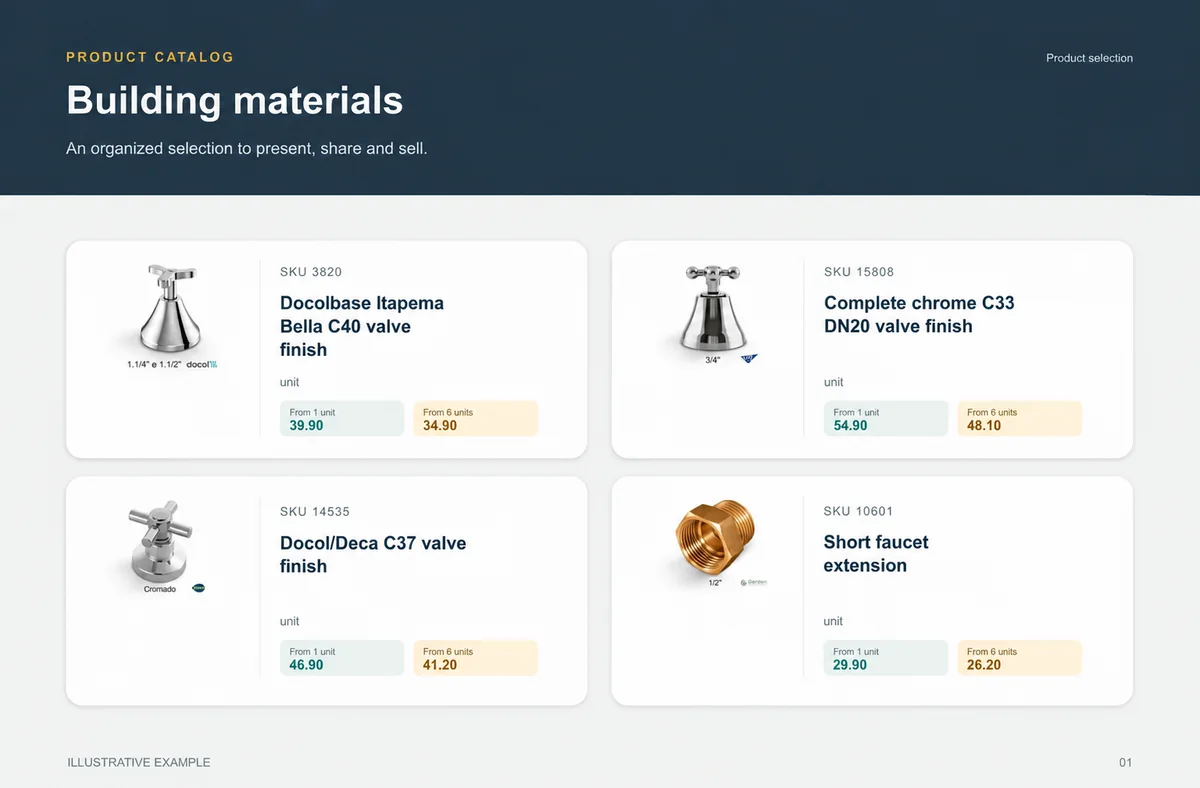
01 / PDF catalog
Catalog page example: Building materials
Illustrative example with real reference products and localized names.
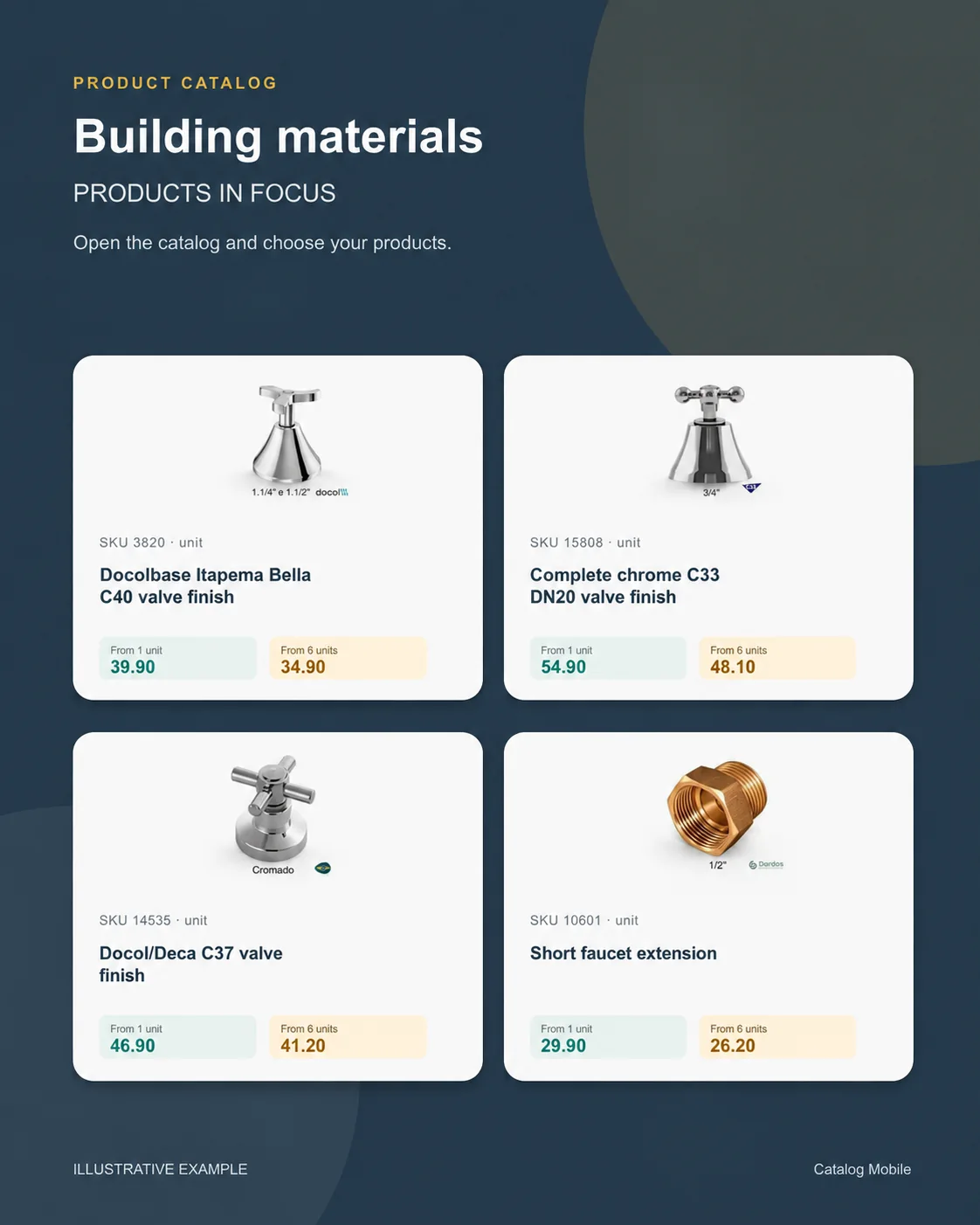
02 / Promotional image
Promotional image example: Building materials
Illustrative creative for presenting a commercial selection.

The right format for each moment

Present the range. Build interest. Make choosing easier.

01PDF

Present a defined edition

Bring a product line, campaign or selection into a file that can be shared and printed. A PDF keeps the data used when it was generated: publish a new edition when prices change.

02Link

Help customers choose and order

Buyers browse categories, inspect products and select quantities in the online catalog. Your team retains the commercial review, according to the settings of your operation.

03Promotion

Draw attention to the right products

Use a product composition to introduce new arrivals or a selection during customer conversations. The image starts the conversation; the catalog holds the details for the next step.

START WITH A REAL PRODUCT LINE

Make your next catalog the one customers can act on.

Add a small selection. Open it on your phone. Check the PDF and the order flow before rolling it out to your team.