Orders and sales reps
Catalog For Sales Reps In Auto Parts Wholesalers Using Microsoft Dynamics 365 Business Central
A buyer should be able to distinguish similar products by code, name, photo and packaging. For auto parts, use the commercial code and compatibility information in the product description.
Start with a small product selection, check how it appears to the buyer and review a sample order before expanding. A clear catalog is useful when it matches the way your team actually sells.
Prepare the data the buyer actually needs
For auto parts, use the commercial code and compatibility information in the product description. A similar photo is not enough to identify a part. Test search with the code your buyer uses and review the selected quantity.
- Use a stable product code, a clear name, a selling unit, an appropriate photo and the intended price. Keep internal costs and confidential notes out of the public selection.
Make the range easier to buy
A buyer should be able to distinguish similar products by code, name, photo and packaging. Group the range into useful categories and expose the information needed to choose without another message to the rep.
Treat price tables as commercial rules
Different audiences may use different tables. Confirm the number included in the plan and configure the seller and buyer context. Test which price appears after changing quantities or following a seller link.
What this workflow does not guarantee
Catalog Mobile helps present products and capture orders. Credit analysis, tax documents, delivery planning and financial management remain in your existing process unless a specific integration has been verified.
Review the result as a buyer
Compare product names, codes, units and prices with the original data. Test one long product name, one product with no image and different quantities. Ask a colleague to find an item without your guidance. Use what was confusing to improve categories and descriptions.
Decide whether the workflow fits
A useful pilot shows whether the buyer can understand the range and whether your team can review the order. Keep your existing sales process during evaluation. Confirm product and user limits, price tables and integration work before selecting a plan.
Help buyers choose without another message
In auto parts, buyers need commercial SKU, unit and verified fitment in view before they choose a quantity. When those details are split between an old PDF, spreadsheet and chat, choosing takes longer and the sales team has to explain the basics again. An organised selection brings the distinctions together and makes the next step easier to see. In the field, a representative can open the range, find the category and guide the conversation from the same presentation the customer sees.
- Show commercial SKU, unit and verified fitment where buyers compare the items.
- Use the sales presentation to highlight what helps customers choose the range.
Build a selection customers can compare
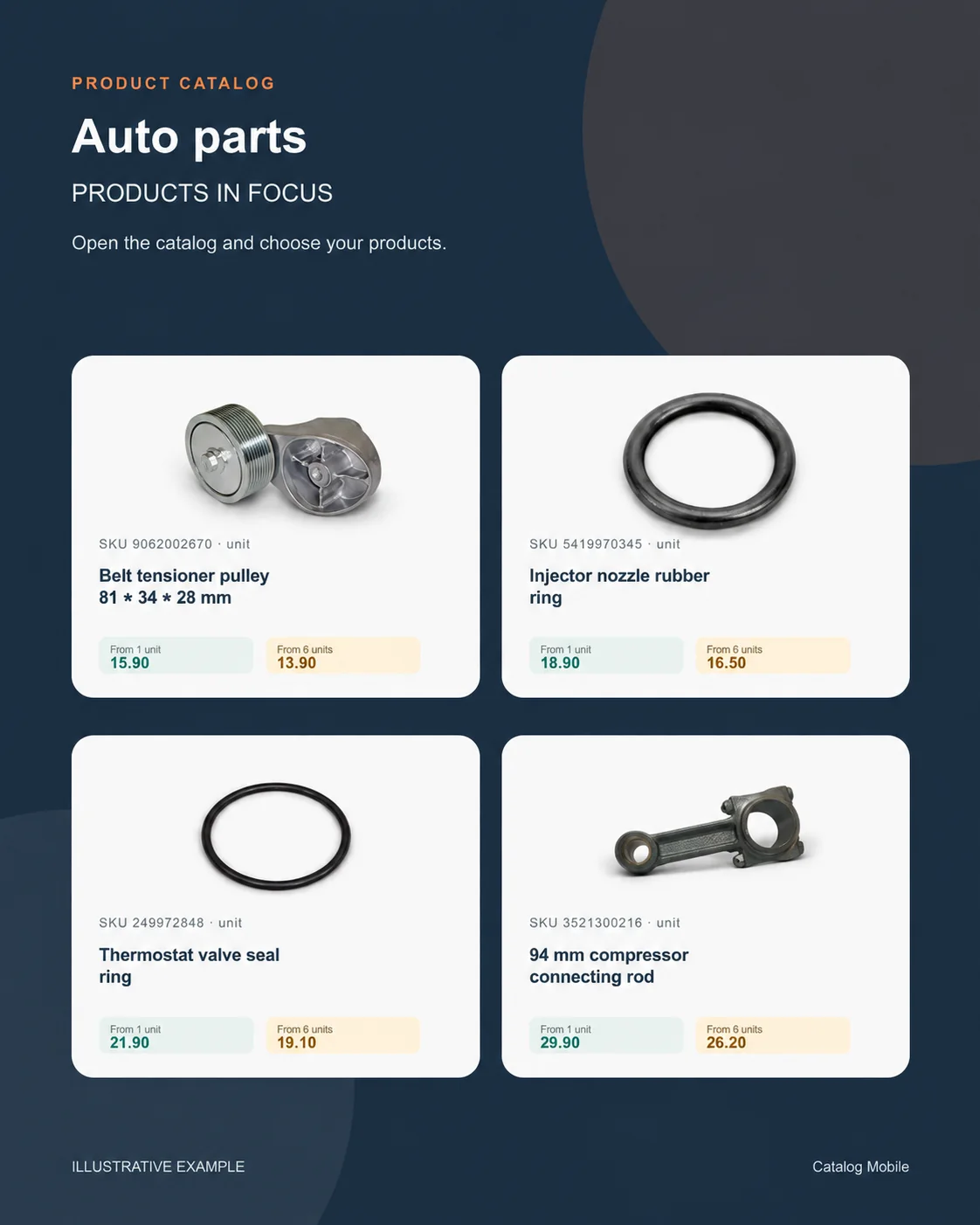
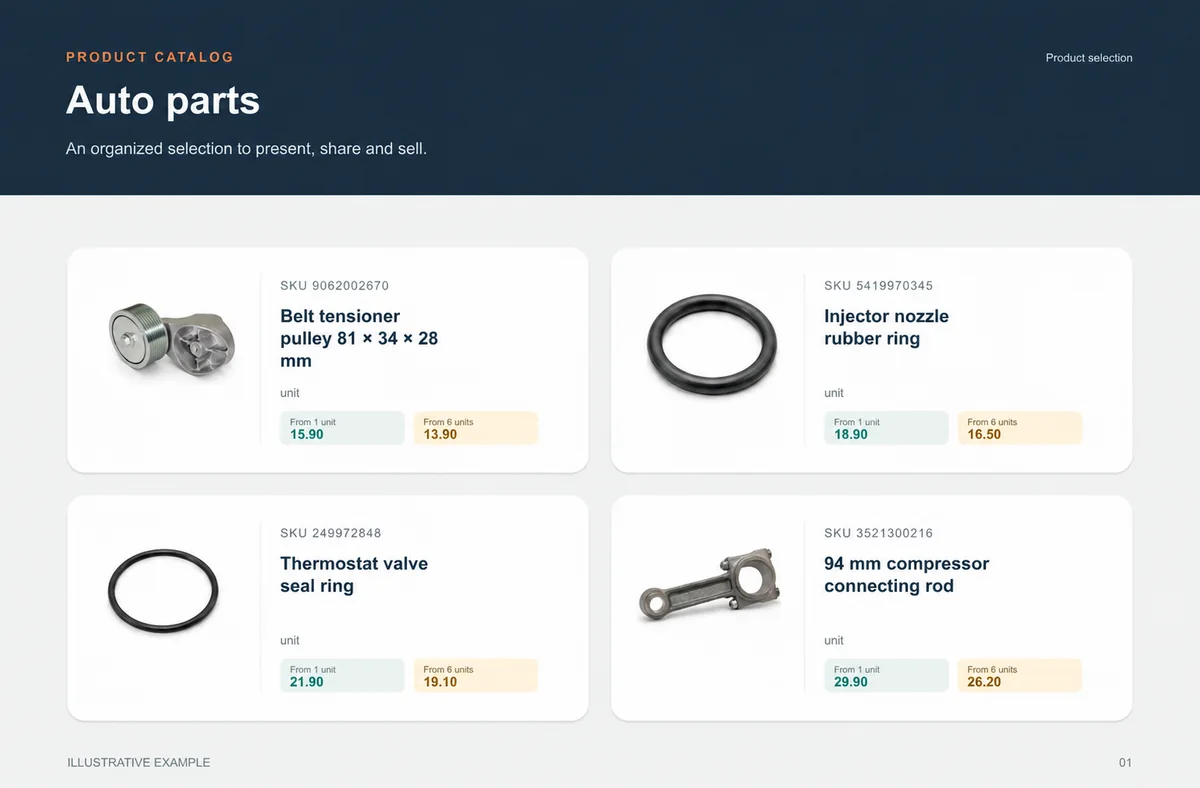
Present an 81 × 34 × 28 mm belt tensioner pulley, an injector-nozzle rubber ring and a 94 mm compressor connecting rod in a short selection where SKU, photo, presentation and price sit together. A representative can find two items, compare the options and prepare a suggestion without opening a parallel spreadsheet. Demonstration values make the commercial reading easier to understand; they are not a public offer. During a visit, the representative opens the category, compares the presentation and records the selection the customer wants to discuss. The conversation stays on the range instead of searching for photos or SKUs. A first selection focused on one range helps the team improve what buyers actually consult.
- Include one long name and one alternative presentation in the first selection.
- Show photo, SKU, unit and price in the same buying context.
Bring ERP product data into the sales presentation
Keep managing products in microsoft-dynamics-365-business-central, and use the catalog to turn the range into a presentation buyers can browse. Choose the company, account, fields and permissions that represent your operation before defining an import or integration route. The data route depends on the edition, account, available fields and permissions. Before sharing, confirm which products, units and prices reach the selection. Once a buyer chooses, final price, availability, credit, delivery, tax and invoicing remain in the commercial flow your operation defines.
- Choose the fields buyers need to compare the range.
- Keep credit, availability, delivery, payment, tax and invoicing in the operation’s commercial flow.
Start with one range, then expand with confidence
The next range is ready to scale when buyers can find an 81 × 34 × 28 mm belt tensioner pulley, an injector-nozzle rubber ring and a 94 mm compressor connecting rod, understand commercial SKU, unit and verified fitment and move forward without a side explanation. Use what buyers look for in the first selection to organise the next category or audience. Repeat the microsoft-dynamics-365-business-central company, account or edition scope used to prepare this range. Start with the range that generates the most questions in customer conversations, then let buyer choices guide the next selection. The commercial owner looks after presentation and conversation; the data owner keeps the commercial record, including commercial SKU, unit and verified fitment, aligned with the source date. Once the selection is easy to explore, apply the same pattern to the next category or audience. Keep the same microsoft-dynamics-365-business-central scope in the process used to prepare the selection.
- Extend to the next range using what made the first choice easier.
Will it work for my business?
Can I publish thousands of products?
Plans have explicit product limits. Compare the current country offer and discuss extra capacity before importing the full range.
Can I separate wholesale and retail prices?
Price tables support different conditions when included and configured. Verify the actual buyer view; do not rely only on the table’s name.
Does this manage customer credit?
Confirm credit requirements with your ERP and responsible team before including that stage in the buyer journey.
How can I evaluate this without moving my whole operation?
Use a small, authorised selection of products. Compare the PDF or online catalog with your source data, test on a phone and review the resulting order. Expand only after correcting discrepancies.
How can we tell whether the selection is clear?
Open it on a phone, ask someone to find real products and record every question about SKU, unit, presentation or price before expanding.
Does the catalog replace commercial review?
No. It organises product presentation and can capture intent; the operation still validates the stages that depend on price, stock, credit, delivery and invoicing.